Seven steps, then again next week.
Every screen here is the real one, captured from Outleap on 27 September 2026. Maya and her classmates are demonstration students at a demonstration school; the course data is real.

- Step
Know me
What they study and their grades, achieved or predicted, for GCSEs, A levels, BTECs and T Levels, and what they’re considering. Grades stay with the student; staff screens show which requirements they meet.
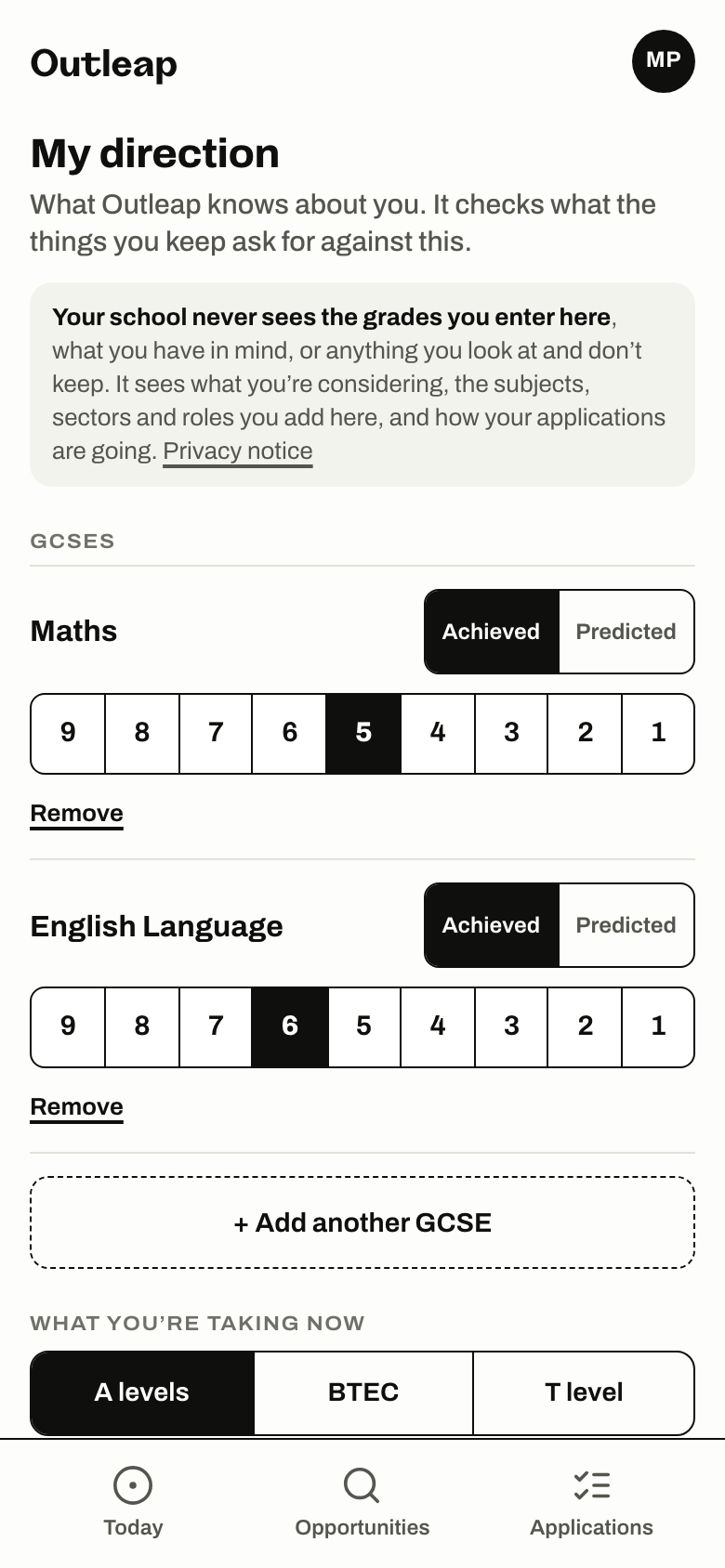
Maya is a demonstration student. Captured from Outleap on 27 September 2026. The new Outleap reaches schools on 2 November 2026. These screens are from it. - Step
Find
Apprenticeships they could go for, the ones matching what they said first, then closing soonest, each showing where they stand, and courses by subject. A requirement her school set for an opportunity it published, set against the grade she entered. Course details come from HESA Discover Uni, the official UK dataset of university courses, shown with their source. An apprenticeship’s details and requirements come from its vacancy on Find an apprenticeship, the Department for Education’s service for England, shown with their source. Every course and vacancy card names its source and the date Outleap took its data in. The opportunities your own school or college publishes. A student can add an opportunity they found themselves, from its link.
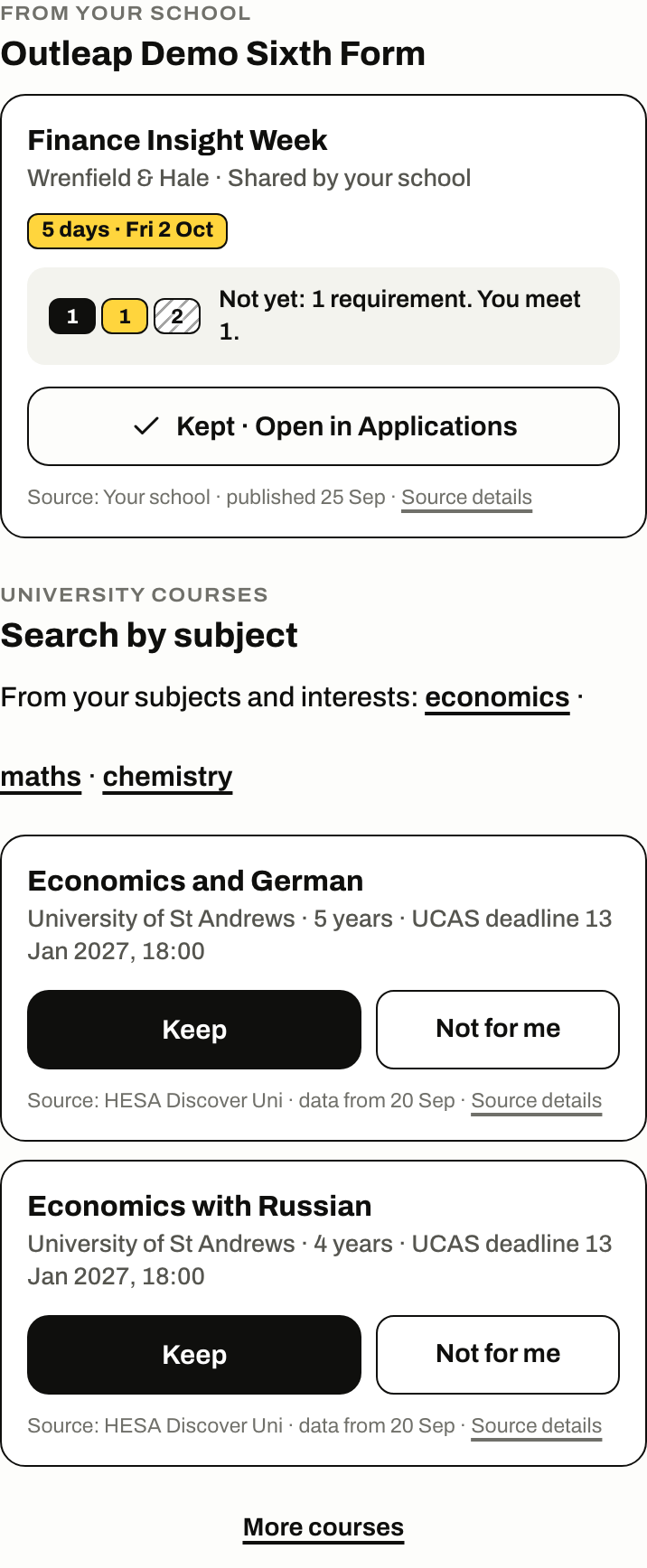
Maya is a demonstration student. Captured from Outleap on 27 September 2026. Course data derived from HESA Discover Uni, licensed under CC BY 4.0; Outleap has normalised the source fields. - Step
Understand
A student can type in what a course asks for. Then each requirement reads Met, Not yet or Can’t tell. It never guesses.
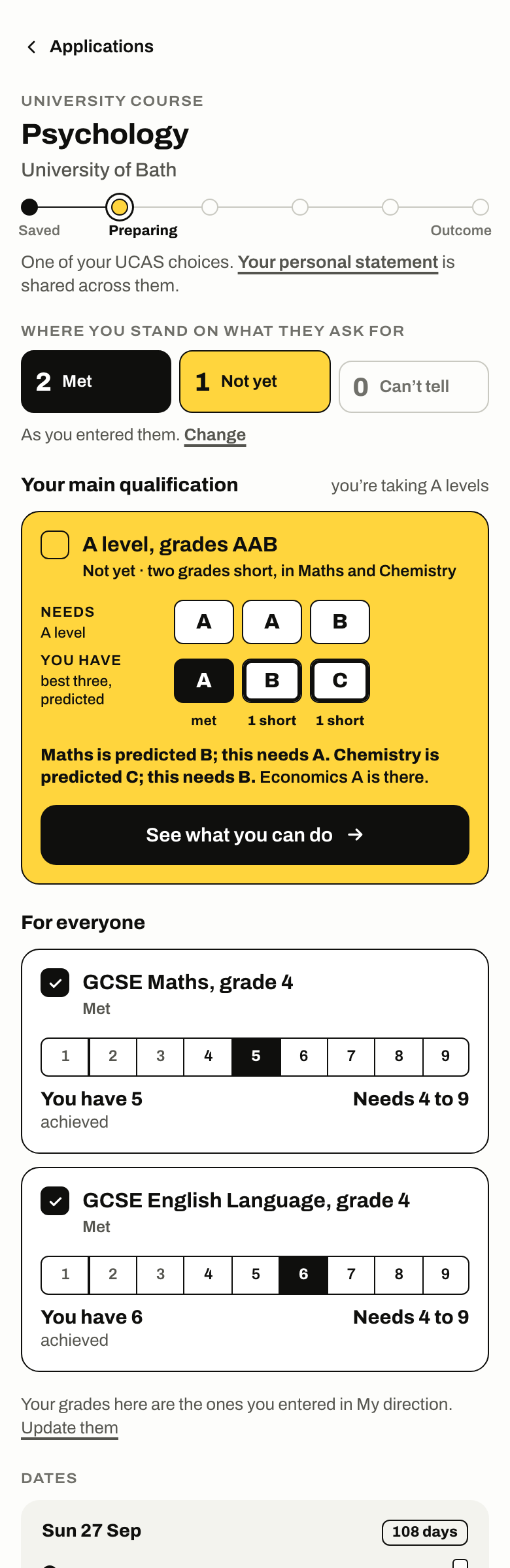
Maya is a demonstration student. Captured from Outleap on 27 September 2026. Course data derived from HESA Discover Uni, licensed under CC BY 4.0; Outleap has normalised the source fields. - Step
Strengthen
A grade that falls short gets a plan with a date, and Outleap asks what happened. A skill gets evidence from things they’ve done. AI feedback on a student’s own statement, CV, cover letters and application answers; on the statement, in rounds.
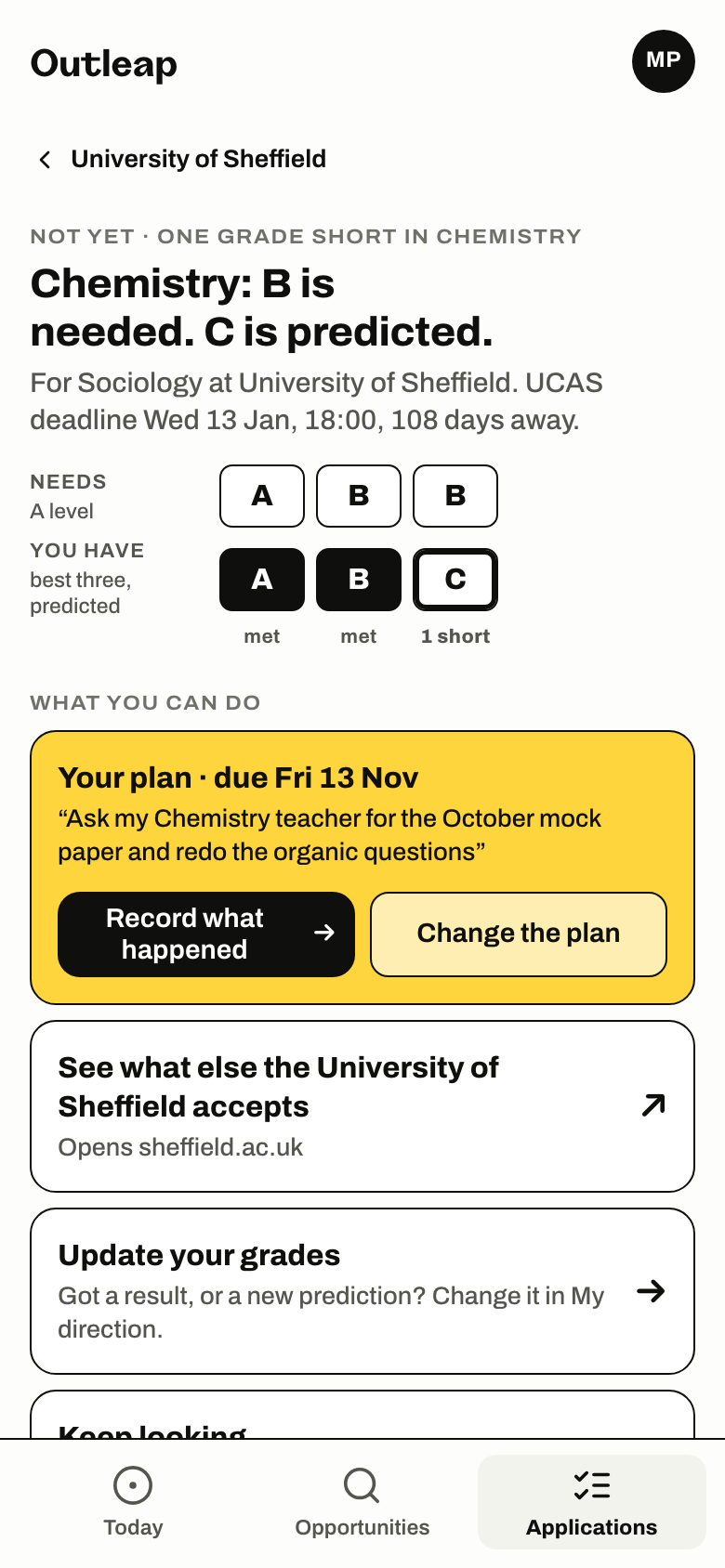
Maya is a demonstration student. Captured from Outleap on 27 September 2026. - Step
Pursue
Outleap never pretends to apply; it hands over to the real site and asks to be told. Outleap can’t send an application to UCAS or to an employer. Once the student has sent it, they tap “I’ve applied”, or for UCAS “I’ve sent it to my school”, and staff see the new status.
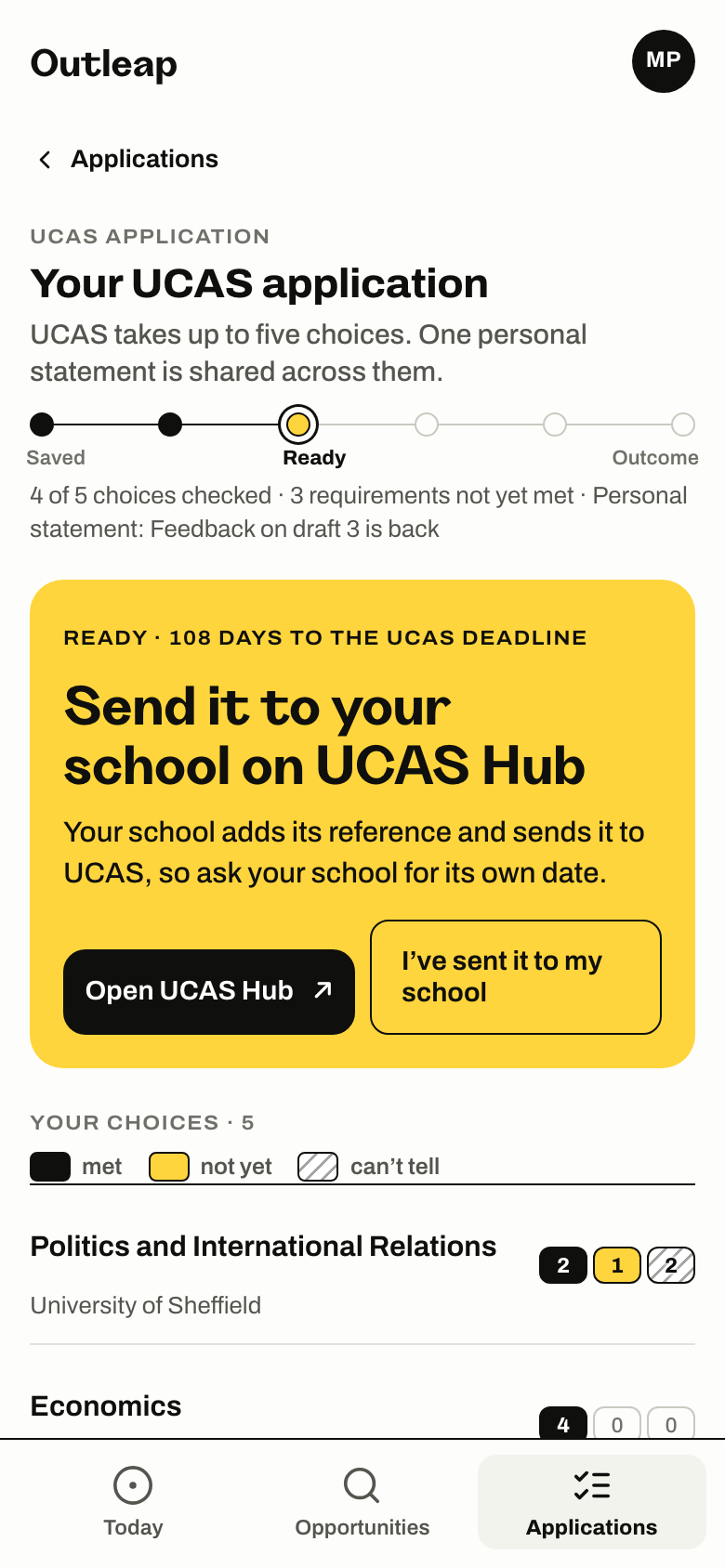
Maya is a demonstration student. Captured from Outleap on 27 September 2026. Course data derived from HESA Discover Uni, licensed under CC BY 4.0; Outleap has normalised the source fields. - Step
Outcome
An interview gets preparation built from what the vacancy asks for and the student’s own evidence. An offer is recorded, with what to do next. A no shows what is still open, and what they keep.
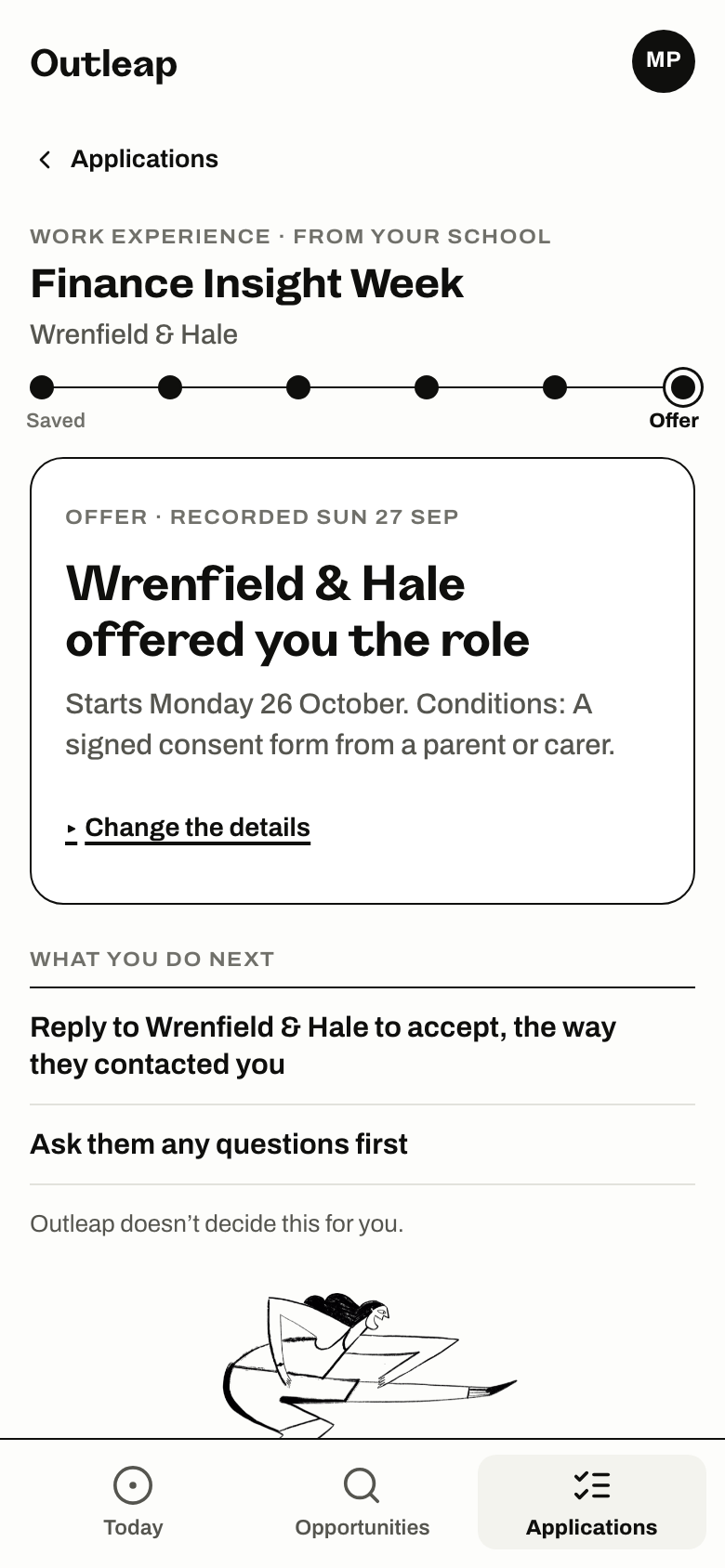
Maya is a demonstration student. Captured from Outleap on 27 September 2026. - Step
Again next week
On a quiet day it says nothing needs them.
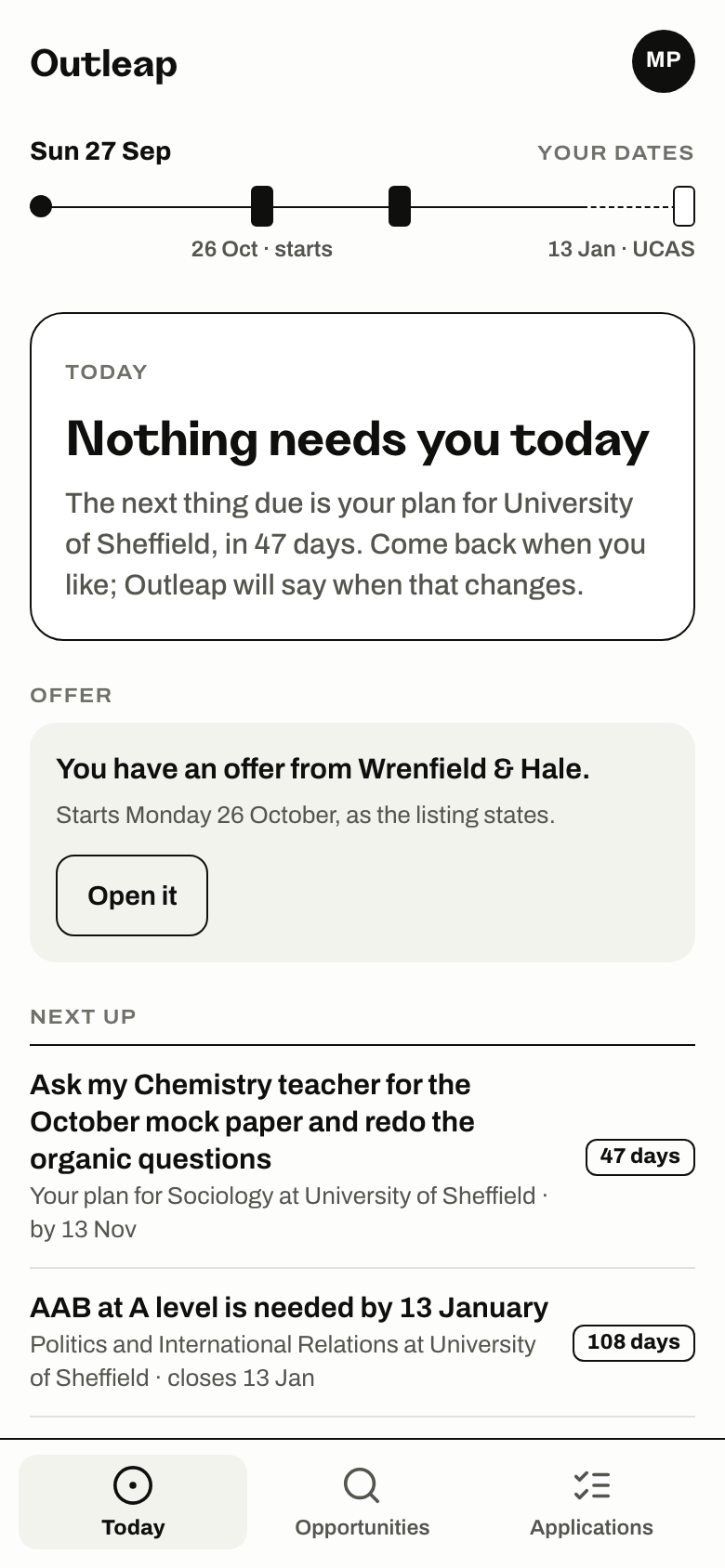
Maya is a demonstration student. Captured from Outleap on 27 September 2026.
First thing, and one student before a conversation.
Staff can see every round of feedback on a student’s personal statement, and the student’s saved CV, cover letters and answers, with any comment a colleague adds. On Outleap’s staff screens, staff see which requirements a student meets, never the grades they typed in, what they looked at and didn’t keep, or their plans. A tutor sees only the students assigned to them.
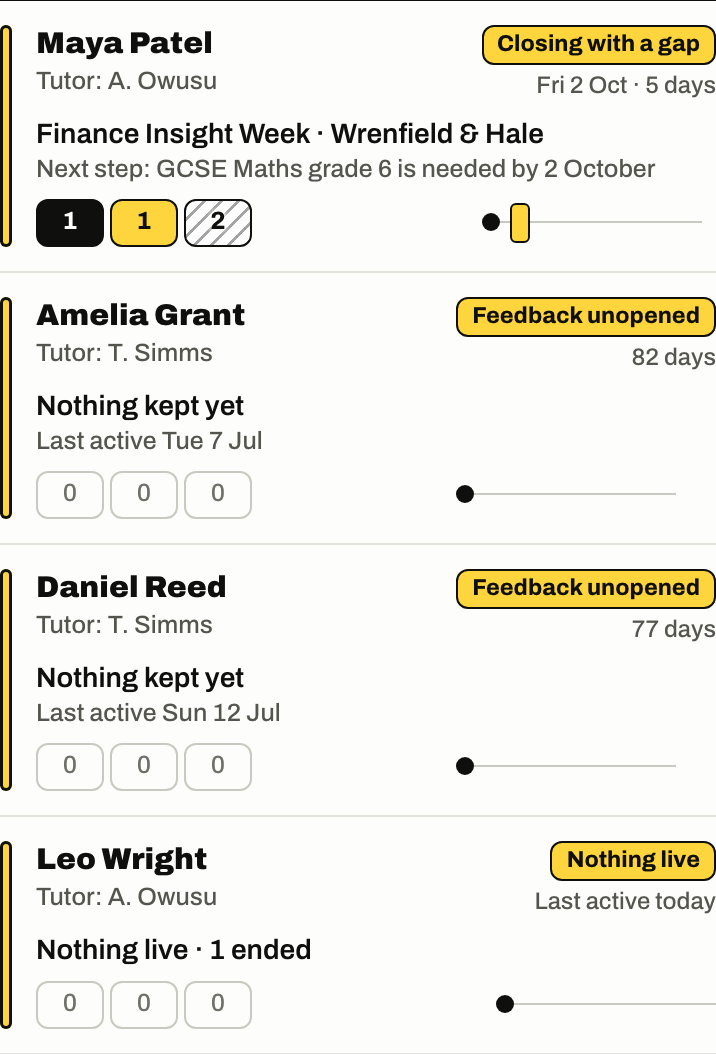
The three boxes
Each row counts the requirements of the student’s most pressing application.
- Met
- They meet it.
- Not yet
- They don’t meet it yet.
- Can’t tell
- Outleap can’t check it, and doesn’t guess.
What each reason means
- Closing with a gap
- An application closes within two weeks, and a requirement isn’t met yet.
- Overdue
- They missed a school deadline for a first draft of their statement or CV.
- Due soon
- A school deadline for a first draft of their statement or CV is close.
- Stuck
- An application with a requirement not yet met has had no work on it for two weeks.
- Feedback unopened
- AI feedback on their personal statement came back, and they haven’t opened it. The days count from when it came back.
- Nothing kept
- They haven’t kept anything to apply for yet. The row says when they were last active. When everything they kept has ended, the row reads Nothing live.
- Feedback late
- AI feedback on their personal statement hasn’t come back by the time it was due. The row says when that was.
- Named students, with reasons Each student who needs you is named, with the reason on the row: closing with a gap, overdue, due soon, stuck, feedback unopened, nothing kept or feedback late. The students who are moving come after them.
- One student, with a brief Open a student and the page starts with why they need you and what is worth asking, then each application with its counts, and their statement rounds.
- What the school does itself The school publishes its own opportunities, sets deadlines and sees who has met them, invites tutors and assigns students; Outleap loads cohorts and rosters.